The programme report puts the Dashboard on A4 or A3 pages with your narrative beside the changes since the last update. Workbooks carry every row, any chart saves as a PNG, and Export to P6 writes the programme back as an XER or P6 XML file P6 will import.
What it gives you
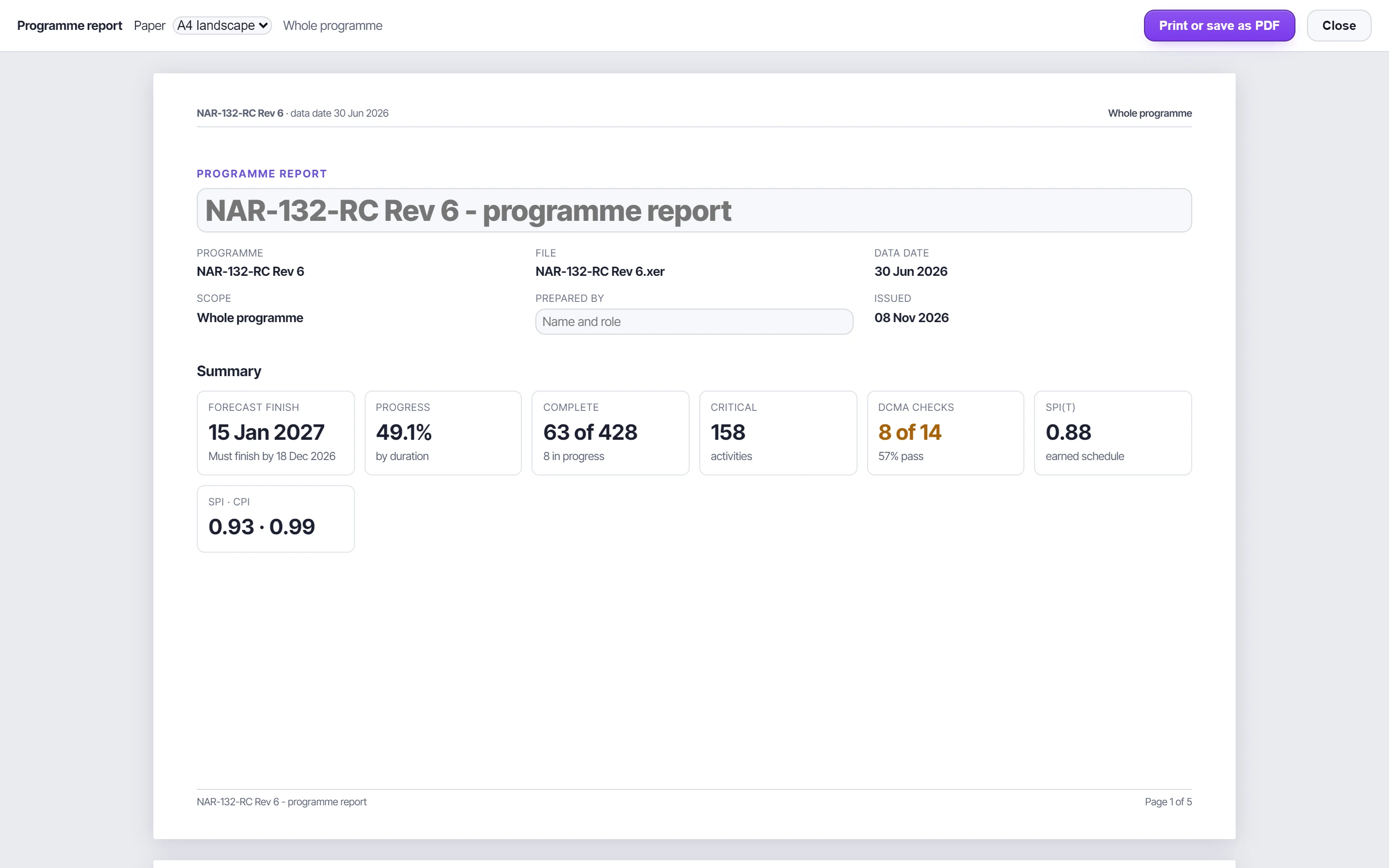
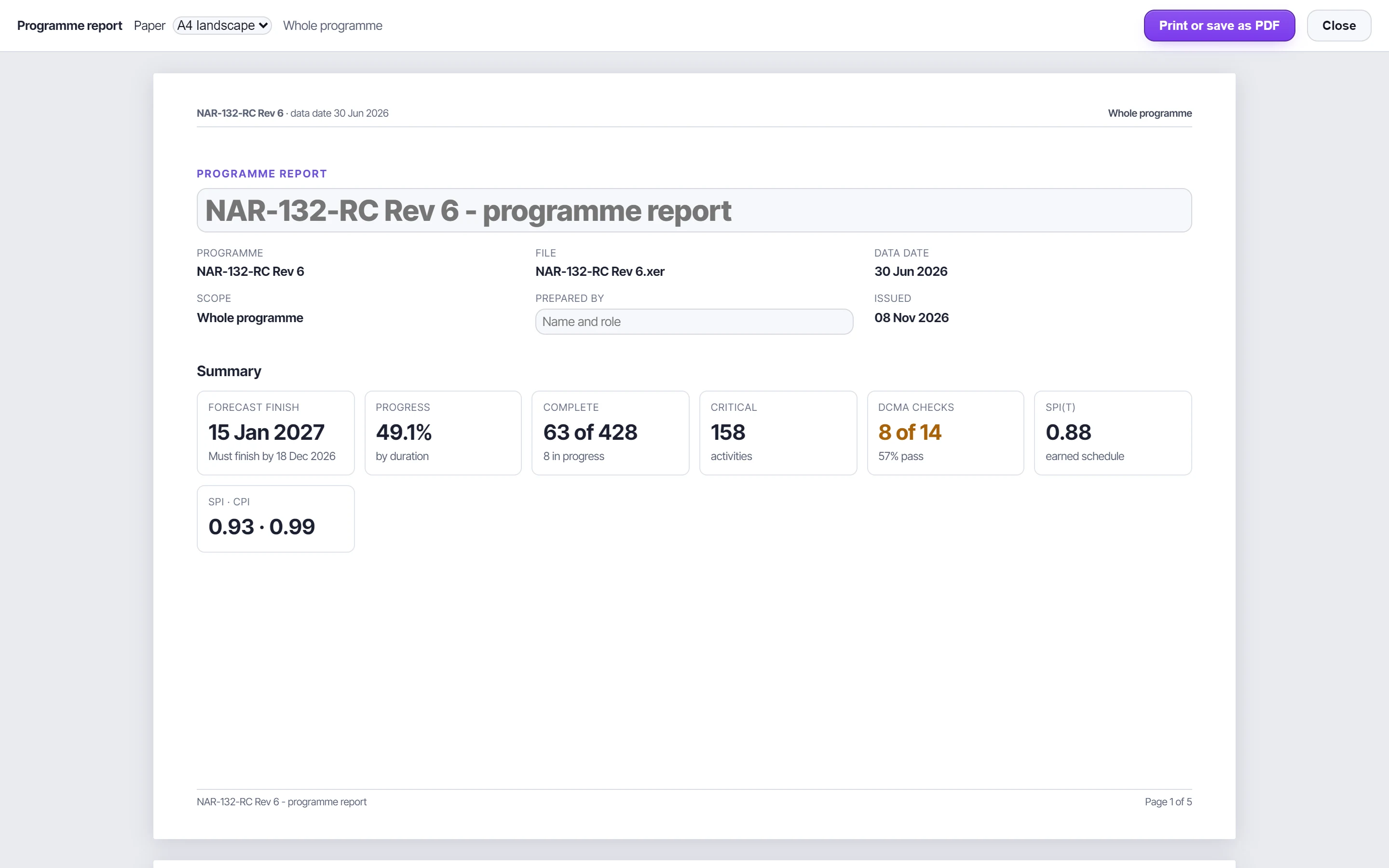
The report measures the open update against the one before: forecast finish, progress, critical work, DCMA pass rate and who joined or left the driving path.
Export to P6 as XER or P6 XML, for the P6 version you choose, from 8.4 to 25.12. Each route was imported into P6 25.12 to check it.
A full workbook with a dashboard sheet, native Excel charts and every row the screen summarises.
The programme report
- Cover and KPIs, the narrative, the DCMA strip and S-curve, key milestones and the driving-path timeline; with NEC4, time risk allowances, what is due and the early-warning funnel.
- Write the narrative on the page, or start from a draft built from the figures. It saves with the project.
- Laid out in millimetres and printed at full scale: every line of text selectable, nothing a picture.
Back to P6
A file exported from P6 goes back exactly as it came in, with only the version P6 reads changed. XER converts to P6 XML and back, carrying calendars, the WBS with its earned value techniques, activities, logic, resources, assignments, expenses and codes. What a route cannot carry, the panel says.
Check your next update before anyone else does.
Free for a day. Export an XER from P6 and see what it says.