Check your own programme before anyone else does.
You know P6. What takes the time is the checking: the same open ends, leads and constraints counted by hand every period, and the questions that arrive after you've issued.
Sound familiar?
Quality checks rebuilt in spreadsheets every update.
Defects found by the client or the Project Manager, after issue.
Chasing site for progress across a dozen people.
How it helps
Pre-issue quality check
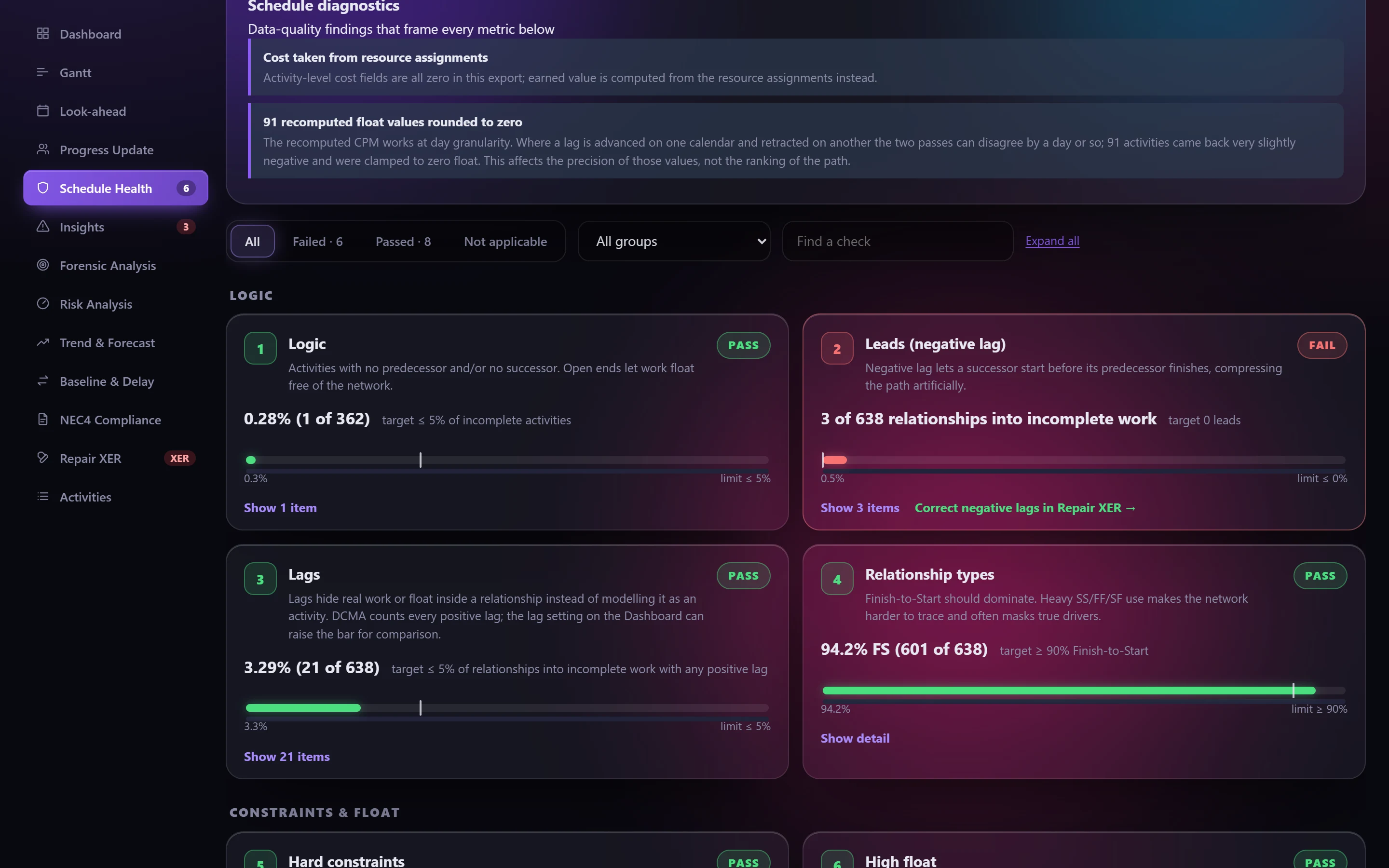
Run the DCMA 14-point assessment and the 25 diagnostic checks on every update, and fix what they find before it leaves your desk.
Tender programme review
Check a tender programme's logic, constraints and float in minutes, and export the findings for the bid team.
Getting progress in
Send each responsible person a workbook of their work for the period, then key the returns straight into P6.
A typical cycle
- 1
Schedule in P6 (F9) and export the XER.
- 2
Upload, then read the diagnostics and Schedule Health.
- 3
Fix logic defects in P6, or with Repair XER.
- 4
Issue with the workbook as your evidence.
Check your next update before anyone else does.
Free for a day. Export an XER from P6 and see what it says.